Keep every project moving.
Take each idea from brief to published, with every video and Short it becomes. See everything in flight, with the one next step for each.

A quieter desk
Goes live Mon 12 OctFictional project · Select a phase to explore the example.
Projects don't fail. They stall.
A video waits on a title. The Shorts wait on the video. Meanwhile four other ideas are half started, and the publish date is closer than it looks.
What it looks like inside.
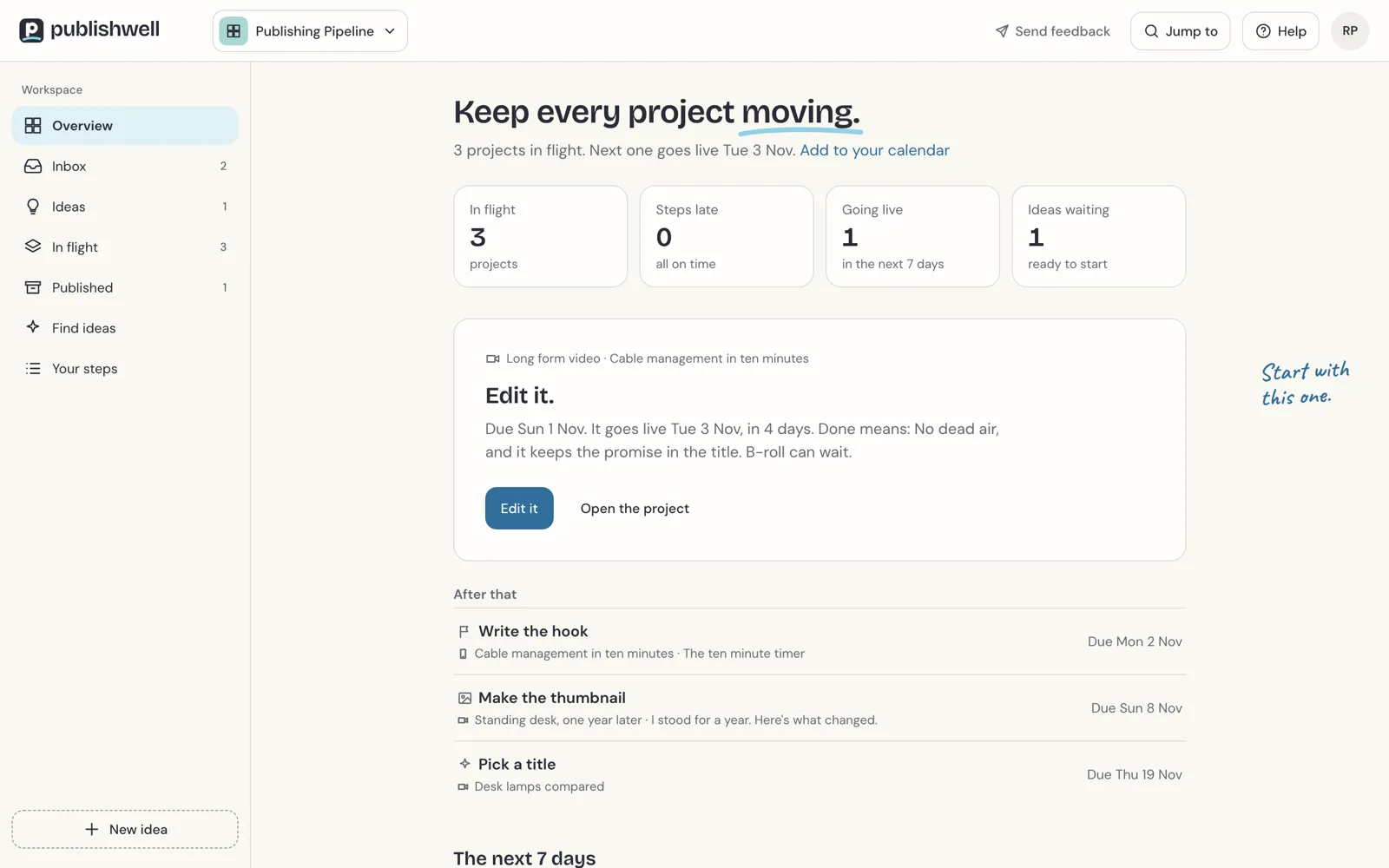
This is the Publishing Pipeline itself, not a mockup. The account in it is a sample.
One idea, all its content.
A project is the idea, with one brief behind it: go, reframe or park. Add what you're making from it, like a long form video and the Shorts cut from it. Each one moves through its own pipeline in three phases. Here's the long form video's.
-
1 Title Drafts for youTitle options, each with a short why. Keep one or write your own.
-
2 Thumbnail YouMake it in Thumbnail Studio, or upload one you made. Adding it marks it done.
-
3 Hook YouThe first 30 seconds, written out.
-
4 Outline YouThe points you'll cover, in order.
-
5 Record YouOpen any time. Strike each beat as you go, then mark it recorded.
-
6 Edit YouCut it down and mark it done.
-
7 Publish YouPut it live and mark it published. The video is done once it's live.
-
8 Description Optional, drafts for youAdd the transcript as a file or paste it. Get a description and chapters to edit. It never holds anything back.
A Short form video is lighter: a hook, then record or cut it, edit it, title it and publish it.
Live is done.
A video is done the moment it's live, so nothing waits on you to share it. If you want help getting it seen, it's one click away.
Plan launch posts in the Scheduler, from the video, with its link filled in. The video then says how many are out, like "Launch: 4 of 7 out". It never keeps the video open.
Start from a good default. Make it yours.
You never build a pipeline from a blank page. Each kind of content has its own. Rename a stage, reorder it, turn it off or mark it optional. Add your own stages inside a phase. Each one can ask for a checkmark, some text or a link.
Changes apply to new content. Anything already in flight keeps the stages it started with, and can skip one.
Drafts you approve.
AI drafts five things. A brain dump becomes separate ideas. Find ideas turns your channel's numbers into idea cards. The project's brief gets a verdict: go, reframe or park. Every title gets options, each with a short why. A long video's description and chapters come from your transcript.
A draft is a starting point. You pick, edit or ignore it, and nothing is marked done until you say so.
A system, not another to-do list.
A list knows what you wrote down. A pipeline knows what comes next, when it's due and what done looks like.
An Inbox for loose ideas
Catch an idea in one line, or paste or say a whole brain dump and let AI split it into ideas. Keep the good ones. Park the rest.
Plan on one page
A working title beside its thumbnail, then the hook and your beats. None of it is required, so you can film when you're ready.
Shorts from the long video
Make a Short from any long video in the project. It links back, so you know what to cut from.
Dates counted back
Give a video or Short a day to go live, whenever you like. Every stage then gets a due date counted back from it.
A limit, if you want one
Set how many projects you want in flight. Start another past it and you get a warning, never a refusal. A project nothing has touched for two weeks asks once if you want to park it.
Done means done
Each stage says what done looks like, so it means the same thing every time.
It notices when you go live
Connect your YouTube channel and it spots the new video. One click marks it published.
Drafts, not decisions
AI splits brain dumps and drafts idea cards, the brief verdict, the titles and the description. Nothing is done without your yes.
Transcripts you can fix
Add a transcript file or paste one. Fix a misheard word everywhere at once, then download it again as captions.
A few good questions.
The details that help you decide where to begin.
Can I customize the stages?
Yes. Each kind of content has its own pipeline. Rename stages, reorder them within a phase, turn them off or add your own, and choose which are required. New content copies it. Content already in flight keeps the version it started with.
What does the AI draft?
A brain dump becomes separate ideas in your Inbox. The brief gets a go, reframe or park verdict. Titles get three options with reasons. A transcript becomes a draft description, and a timed one gives chapters too. You review and approve the drafts.
Does Record wait for Plan?
No. Nothing in Plan is required. The next step suggests a hook and an outline while they're empty, and the plan closes by itself once you mark Record done.
How are the dates chosen?
A day is optional. Add one to a video or Short and stage due dates are counted back from it, with a warning when the remaining work does not fit. Without a day there are no due dates. Dates use your account time zone.
Will it publish the video for me?
You upload and publish the video yourself, then mark the Publish stage done. The video is done once it's live. If you want launch posts, plan them in the Scheduler from the video. Publishing to YouTube for you is planned for later.
Video first. Not video only.
The first kinds of content are long and short videos, because that's where we started. The steps work for any video platform. A few extras read your YouTube channel, like Find ideas and spotting when a video goes live. A project is an idea, and its content says what kind each one is. Keep the brief, decisions and next step with the project all the way to publishing.
- Publishing to YouTube for you
- A look back a week after you publish
- More kinds of content, like a blog post
- Working with collaborators